Affiliate Disclosure: We earn commission through affiliate links at no cost to you.
CrushOn AI Character Creation Tutorial 2026
Character creation is free for every CrushOn AI user. The result quality depends almost entirely on how well you fill out the character card. This tutorial covers each field with examples — not abstract advice, but specific input patterns that produce better AI behavior.
For model selection that affects character performance, see our models guide.
Before You Start: How the Character Card Works
The AI model generates every response based on: (1) the character card you define, (2) the current conversation context, and (3) its base training.
The character card is your leverage point. It is the only variable you fully control. Think of each field as a constraint you are placing on the AI's default behavior — each field narrows the possibility space and pushes the AI toward the specific character you want.
Fields you leave blank get filled by the model's defaults. Model defaults trend toward generic behavior. Specific inputs produce specific characters.
Step 1: Access Character Creation
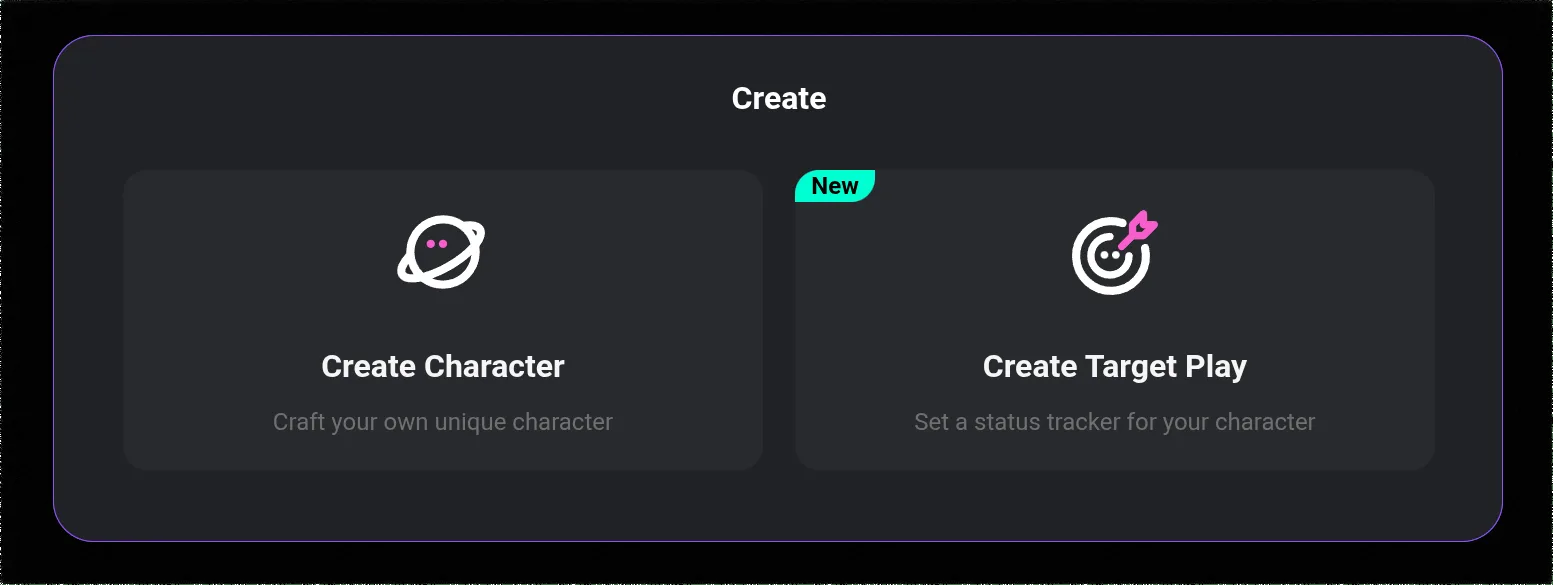
Log into your CrushOn AI account. Find the Create Character option in the left sidebar navigation. The creation form loads with all required fields.
Step 2: Name
What it does: Creates the character's identity and triggers associated cultural context the model may recognize.
Input guidelines:
- Use names that match your character's cultural/genre context
- Avoid names that conflict with the character concept (a serious historical figure character named "Bro" will fight against the model's associations)
- Role-based names work for scenario characters: "The Informant," "Professor Ashworth"
Step 3: Personality — The Critical Field
What it does: Defines how the character thinks, feels, and responds to situations.
The transformation from weak to strong:
Weak input: "Confident, intelligent, mysterious"
Strong input:
"Operates from a position of earned competence — has demonstrated value and knows it, so confidence comes from track record rather than ego. Processes problems analytically before responding; sometimes a 3-second pause before speaking is the tell. Deliberately withholds information not because of manipulation, but because they believe people learn better by discovering things themselves. Gets impatient with repetitive questions. Dry humor delivered with a straight face."
The strong version tells the model:
- Where the confidence comes from (earned competence, not ego)
- How the character thinks (analytically, processing before speaking)
- Why they withhold information (pedagogical, not manipulative)
- What frustrates them (repetition)
- Communication style (dry, straight-faced humor)
Target: 4-6 behavioral trait descriptions. Describe how the trait manifests in action, not just the trait name.
Step 4: Backstory
What it does: Explains why the character has these traits — makes the personality feel grounded and coherent.
What to include:
- One formative experience that created a core personality trait
- Current life circumstances when the user meets them
- What they want from this interaction (even if unspoken)
- One specific detail that makes the character feel real (not a list of facts, one specific thing)
Length: 100-250 words for most characters. Longer for complex backstories, but specificity matters more than length.
Example for a research scientist character:
"Spent six years in a lab that prioritized publication speed over thoroughness. Left when a result she had flagged as potentially flawed made it into a major journal — and turned out to be wrong in ways that mattered. Now works independently on projects she can control completely. Meticulous to a fault; will point out ambiguity in a question before answering it. The rigor is not pedantry — it is the direct consequence of watching mistakes get amplified. Loves when someone asks a genuinely good question; rare enough that she pauses noticeably when it happens."
That backstory explains the meticulousness (lab experience), the independence (outcome of the experience), the behavior pattern (pointing out ambiguity), and reveals a specific positive trigger (good questions). It is specific enough to actually guide model behavior.
Step 5: Dialogue Style
What it does: Tells the AI how the character structures sentences, vocabulary, and communication patterns.
Input approach: Describe actual speech characteristics rather than tonal adjectives.
Weak: "Speaks in a warm and friendly way"
Strong: "Short to medium sentences. No small talk — gets to the point within two exchanges. Uses first name when addressing someone they are comfortable with. Asks practical questions rather than philosophical ones. Occasional use of blunt humor that catches people off guard. Avoids using words like 'absolutely' or 'definitely' — too committal about uncertain things."
The strong version gives the model behavioral patterns: sentence length, small talk behavior, address conventions, question style, humor type, specific vocabulary avoidance.
Ready to try CrushOn AI?
Visit CrushOn AIStep 6: Scenario
What it does: Sets the relational and situational context for every conversation.
Essential elements:
- The relationship between the character and the user at the start
- The setting where they meet
- What the character wants or is doing when the user arrives
- Any specific rules or constraints of the world
Example: "The user is a new client who has been referred by someone the character trusts. First meeting takes place in the character's office. The character is evaluating whether the user's situation is something they want to take on — they don't accept every case. Professional but not formal; will be direct if something seems off."
This tells the model: there is a trust dynamic (referral), an evaluative frame (deciding whether to help), the character has agency and standards, and the tone is professional without being stiff.
Step 7: Greeting Message
What it does: The character's first line to every user. Also the best demonstration of whether your character card is working.
Write it as the character, fully in their voice. If the character is reserved, the greeting is brief. If they are warm, it has warmth. If they are sarcastic, the greeting has edge.
Test: Read your greeting message without looking at the personality description. Does it communicate the character's personality without the cues? If yes, it is working.
Testing and Iteration
Have a short test conversation focused on probing the character's personality traits. Look for:
- Moments where responses feel generic (trait not coming through)
- Moments where the character says something that violates the defined personality
- Missing behaviors you expected based on the personality description
Return to the relevant field and add specificity. The most common fix is adding behavioral examples to the personality field: "When challenged, [character] [specific response behavior]."
For how image generation works with characters, see our image generation guide.
Frequently Asked Questions
Yes. All subscription tiers including the free tier can create characters at no cost. Character creation does not consume messages or coins.
As specific as possible. Replace every adjective with a behavioral description. Describe how traits manifest in specific situations rather than listing personality words. The model generates better output when it has concrete behavioral guidance.
The most common cause is generic personality traits (adjectives rather than behavioral descriptions) or missing dialogue style specification. Review each field and add specificity, especially to personality and dialogue style.
Yes. Characters can be set to private or published publicly. Private characters are visible only to you. Public characters are accessible to all 3M+ monthly active users and are discoverable in the community library.